Best tools to share context across Claude Code, Codex and Cursor
Five ways to stop re-explaining yourself to every AI agent, from a free project file to memory APIs, skill libraries and shared workspaces. What each one shares, who it suits and what it costs.
By TalentOS
The best tool for sharing context across Claude Code, Codex and Cursor depends on what you need to share. For a single project, a shared instructions file may be enough. For memory inside your own app, look at Mem0 or Supermemory. For a team skill library, look at Agentman. For a company brain made of files, look at HQ. For one workspace where people and agents share skills, memory, routines and apps, look at TalentOS.
This roundup covers six options. We are TalentOS, so read our entry with that in mind. Everything about other products comes from their own public pages, checked on November 9, 2026. It is not a hands-on benchmark, and prices change, so confirm before you buy.
How we chose
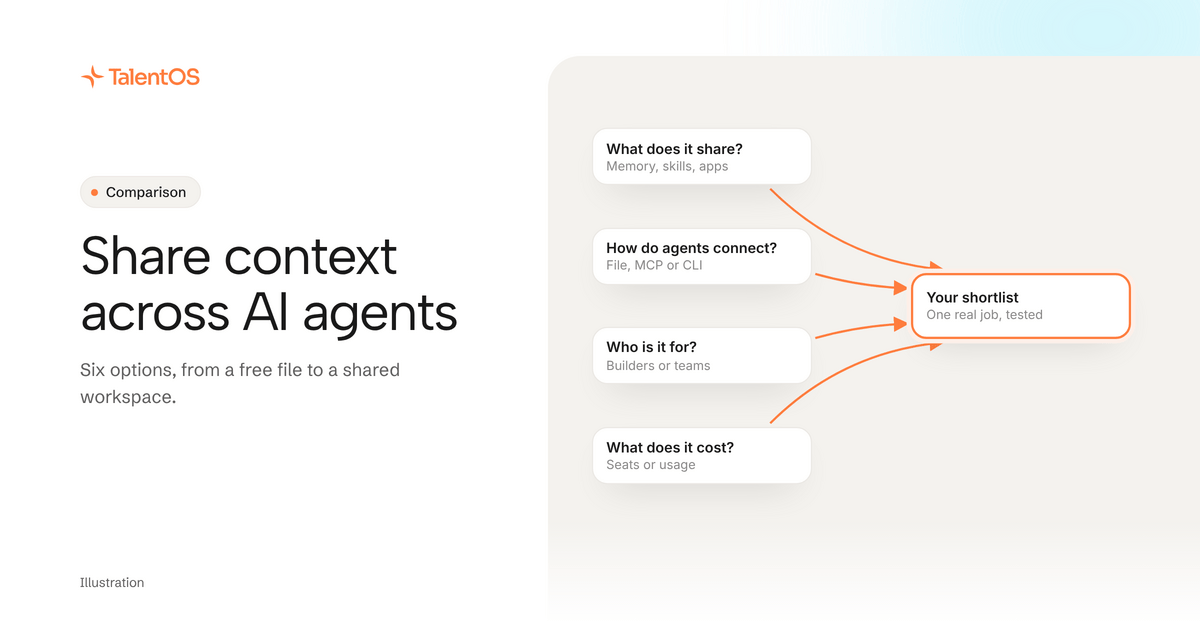
We looked for tools that let more than one AI agent use the same context, and judged each on four questions:
- What does it share? Memory only, or also skills, scheduled work and app access?
- How do agents connect? A file, an MCP server, a CLI or an app?
- Who is it for? A developer building a product, or a team doing its work?
- What does it cost? And what does the price depend on: seats, usage or requests?
The quick answer
Scroll to see all columns
| Option | Shares | Best for | Price model |
|---|---|---|---|
| A project instructions file | Rules for one codebase | One project, any agent | Free |
| Mem0 | Memory, through an API and MCP | Developers adding memory to an app or agent | Free plan, then monthly plans |
| Supermemory | Memory and connected documents, through an API and MCP | Developers building products on users’ data | Usage credits by plan |
| Agentman | A team library of skills | Teams sharing skills across AI tools | Per seat, with minimums |
| HQ | Knowledge, skills and workflows as files | Teams who live in coding agents | Usage-based |
| TalentOS | Skills, memory, routines, connected apps and Rooms | Mixed teams of people and agents | Free plan, then per member |
1. A project instructions file
Before you buy anything, check what a file can do. Claude Code, Codex and Cursor each read instructions from files in your project, such as AGENTS.md or CLAUDE.md. Put your build commands, conventions and “don’t touch” folders there, and every agent that opens the project gets them.
Where it stops: a file lives in one project. It does not follow you to the next client, it does not hold what you learn about people and decisions, and nobody outside the repository sees it.
2. Mem0
Mem0
A memory layer for AI agents and apps, offered as a hosted platform with an API and SDKs, an open-source version, and OpenMemory, a self-hostable MCP server for tools such as Claude, Cursor and Windsurf.
Who should pick it: Developers who want to add long-term memory to their own AI product or agent, or give a coding agent memory through MCP.
Mem0 documents a free Hobby plan (10,000 memory adds and 1,000 retrievals a month), paid plans from $19 a month, a Pro plan at $249 a month that includes graph memory, and an MCP URL that plugs into Claude Code, Cursor and other MCP clients. The open-source version is Apache 2.0.
What to confirm: Check where memories are stored, which plan your request volume needs, whether you need the hosted platform or OpenMemory, and who on your team can read what an agent saved.
Sources: Pricing; Platform or open source; OpenMemory MCP; Memory for Claude Code. Public documentation checked 2026-11-09.
Choose it when memory is a feature you are building, not a habit your team needs. Read our TalentOS vs Mem0 comparison for the detail.
3. Supermemory
Supermemory
A memory and context API for AI agents, with connectors that bring in content from tools such as Google Drive and Notion, and a hosted MCP server that AI clients sign in to with OAuth.
Who should pick it: Developers building AI products that need memory and retrieval over their users’ documents and connected apps.
Supermemory’s pricing page lists Free (with $5 of monthly credits), Pro at $19 a month, Max at $100 a month and Scale at $399 a month, all drawing down usage credits. Its docs describe connectors and a remote MCP server at mcp.supermemory.ai.
What to confirm: Check which plan includes the connectors you need (its billing docs and pricing page list them on different tiers), how usage credits map to your volume, and how memory is separated between your users.
Sources: Pricing; Connectors; MCP server. Public documentation checked 2026-11-09.
Choose it when your product needs memory and search over documents your users connect. Like Mem0, it is infrastructure for builders rather than a workspace for a team.
4. Agentman
Agentman
Agent Skills, a team library for AI skills that one MCP connection brings into Claude, Claude Code, ChatGPT and Cursor, with separate workspaces per client, matter or project.
Who should pick it: Teams that want one versioned, governed library of skills their people can use from the AI tools they already have.
Agentman documents skill versioning, workspaces that keep skills and credentials apart, and sign-in per member. Its pricing page lists Free (up to 3 members and 10 private skills), Team at $10 per seat a month (3-seat minimum) and Business at $25 per seat a month (5-seat minimum) with per-skill access control, approvals and activity visibility.
What to confirm: Check which AI tools your team uses, how a skill moves from a draft to the shared library, and whether you need memory, scheduled work or connected apps beyond skills.
Sources: Agent Skills; Pricing; Connect your AI tools. Public documentation checked 2026-11-09.
Choose it when the thing to share is a governed skill library. Read our TalentOS vs Agentman comparison.
5. HQ
HQ
A company context layer built around shared files, with connections to existing AI tools and options for hosted bots.
Who should pick it: Teams that want shared company knowledge and methods while keeping the AI tools their people already use.
HQ Core organizes company memory, skills, work, and policies as files people can inspect and own. HQ MCP makes company context and connected systems available to AI chat tools.
What to confirm: Check who can read or sync the files, how account access is granted, where bots run, and which changes require review in your setup.
Sources: Product overview; File-based company memory; Context in existing AI tools. Public documentation checked 2026-11-03.
Choose it when your whole team works in coding agents and wants its company brain as files it owns. Read our TalentOS vs HQ comparison.
6. TalentOS
TalentOS is a shared AI workspace. It keeps your company’s skills, routines, connected apps and memory in one place, next to the people who use them. Work happens in Rooms, one per project or client, where people, their AI teammates and their own agents pick up each other’s work.
- How agents connect: Claude Code, Codex and Cursor connect with one command,
npx talentos@1 init. They can then search your memory, save facts, follow your team’s skills and start routines. - Who it is for: teams where some people code and some never open a terminal. Each person also has an AI teammate in the app, on the model they choose.
- Privacy: personal memory stays private, even from admins. Sends, money movement and deletes ask first by default.
- Price: a free plan, then Team at $20 a member a month ($16 billed yearly) or Business at $40 ($32 yearly). Your own agents connect on every plan. See pricing.
Where it stops: it is a hosted workspace, not a memory API to build into your own product.
How to choose in one afternoon
Write down one job you repeat every week, like a client update. List what an agent needs to do it well: facts about the client, your method, the numbers from your CRM, and who checks it before it goes out.
Then count how much of that list each option covers. If it is only the facts, a memory tool is enough. If it is the method too, add a skill library. If it is all four, you want them in one place.
Read what portable context is for the longer version of this idea, or see the company brain page.