TalentOS vs HQ: two ways to give your AI a company brain
HQ keeps your company's knowledge and skills as files your coding agents read and sync. TalentOS keeps them in a shared workspace where people and agents work together. How to choose between them.
By TalentOS
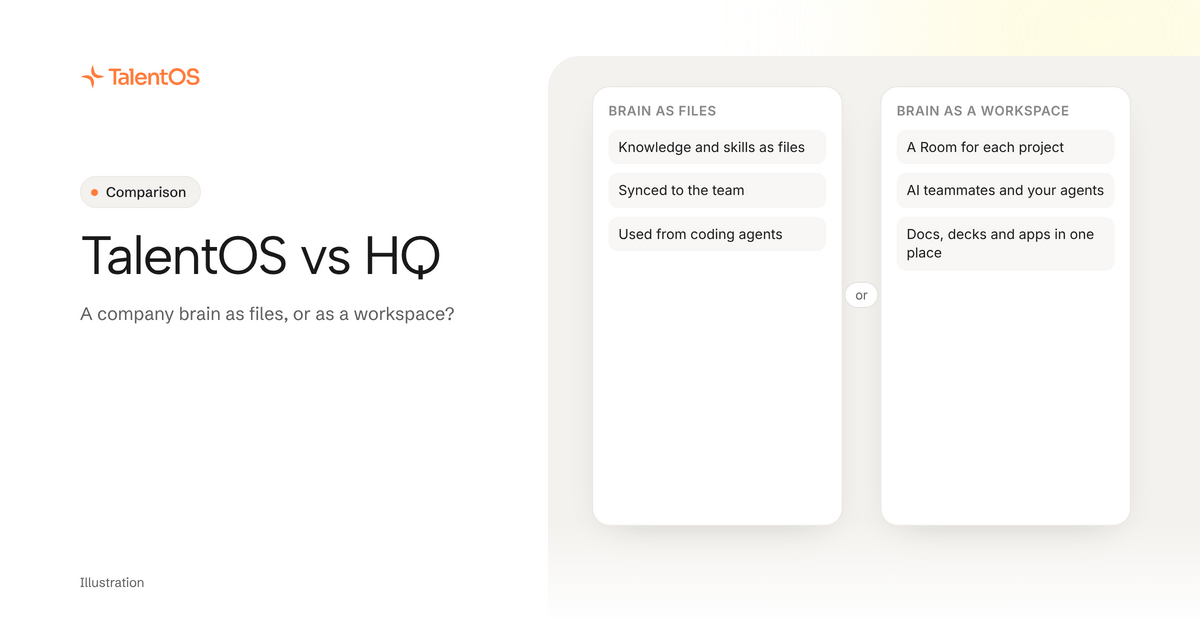
Pick HQ if your team lives in coding agents like Claude Code and Codex and wants its company knowledge and skills as plain files you own and sync. Evaluate TalentOS if your team includes people who do not work in a terminal, and you want one workspace where people, their AI teammates and their agents share the same skills, memory and tools.
Both products answer the same frustration: every AI tool starts from zero. They solve it in different shapes. This comparison is based on each product’s public pages, checked on November 9, 2026, not a hands-on test.
Who should pick HQ?
HQ
A company context layer built around shared files, with connections to existing AI tools and options for hosted bots.
Who should pick it: Teams that want shared company knowledge and methods while keeping the AI tools their people already use.
HQ Core organizes company memory, skills, work, and policies as files people can inspect and own. HQ MCP makes company context and connected systems available to AI chat tools.
What to confirm: Check who can read or sync the files, how account access is granted, where bots run, and which changes require review in your setup.
Sources: Product overview; File-based company memory; Context in existing AI tools. Public documentation checked 2026-11-03.
HQ calls itself “the company brain your AI runs on.” Its core is open source and file-based: knowledge, skills, projects and policies live as files. You turn a prompt or workflow into a command, then sync it to the team. HQ Pro adds an encrypted vault, team sync, access control and secrets.
HQ’s getting-started guide assumes each person has a coding agent plan, such as Claude Code or Codex. Its pricing page describes usage-based pricing for sync and storage. HQ’s own pages were not consistent about seat fees when we checked, so confirm the current terms with them.
Who should evaluate TalentOS?
TalentOS is a shared AI workspace. Your company’s context lives there: skills, routines that run on a schedule, connected apps like Gmail and HubSpot, and memory. Work happens in Rooms, one per project or client, where people, their AI teammates and their own agents pick up each other’s work.
Two things make it a different shape from HQ:
- Not everyone needs a coding agent. Each person has an AI teammate inside TalentOS, running on the model they pick (Claude, Gemini, DeepSeek, Kimi or GLM). Someone in sales or operations can use the same skills and memory from the TalentOS app.
- Coding agents still plug in. Claude Code, Codex and Cursor connect with one command,
npx talentos@1 init, and can search memory, save facts, follow your team’s skills and start routines.
Where they overlap
Both:
- keep skills your team can share and reuse
- give Claude Code and Codex company context
- treat your knowledge as yours, not the AI provider’s
TalentOS skills download as plain files too, in the same format Claude Code, Codex and Cursor read.
Where they differ
Scroll to see all columns
| Question | HQ | TalentOS |
|---|---|---|
| Where the brain lives | Files you own and sync, with an open-source core | A hosted workspace, with skills you can download |
| Main way people use it | Through coding agents like Claude Code and Codex | Through Rooms and an AI teammate, plus coding agents |
| Who it suits | Teams comfortable with files and terminals | Mixed teams, technical and non-technical |
| Working together | Sync shared files to the team | Shared Rooms where people and agents hand work to each other |
| What you make | Whatever your agents build from the files | Docs, decks, sheets and web apps saved in the Room |
| Approvals | Check HQ’s policy and review features | Sends, money movement, deletes and calendar changes ask first by default |
| Price | Usage-based, per HQ’s pricing page | Free plan; Team $20 a member a month, Business $40 (pricing) |
Three questions that decide it
Does everyone on your team use a coding agent? If yes, a file-based brain like HQ fits how you already work. If half the team never opens a terminal, they need a place to use the same context without one.
Do you want files or a workspace? Files give you Git-like control: diff, review, roll back. A workspace gives you shared Rooms, finished documents in one place and approvals on the actions that leave the company.
Where does the work end up? With HQ, it ends up wherever your agents put it. In TalentOS, the doc, deck or app lands in the Room your team is working in, attributed to the person whose AI made it.
Try it on one real job
Pick one recurring job, like a Monday client update. Set it up in the option you are considering and have two people run it, one technical and one not. Notice who can do it on their own.
To try TalentOS from your coding agent, paste this into Claude Code, Codex or Cursor:
Set up TalentOS for me. Run `npx talentos@1 init` and wait while I approve the sign-in in my browser. When it finishes, tell me to restart you so the TalentOS tools load. Then list my TalentOS skills and tell me what you can now use.
See the company brain page, or read what portable context is.