Best AI memory tools for teams in 2026
Six ways to give your team's AI a memory, from Claude's built-in memory and Notion to Mem0, Supermemory, an Obsidian vault and TalentOS. Who can see each memory, who can change it, which agents can read it, and what it costs.
By TalentOS
The best AI memory tool for a team depends on who needs to remember what. For one person in the Claude apps, Claude’s built-in memory is enough. For a team that already lives in Notion, Notion’s agent memory is worth a look. For developers adding memory to their own product, look at Mem0 or Supermemory. For one person whose agents read a folder, an Obsidian vault works. For a team whose people and agents need the same memory with different audiences, look at TalentOS.
This roundup covers six options. We are TalentOS, so read our entry with that in mind. Everything about other products comes from their own documentation, checked on the date at the end of each entry. It is not a hands-on benchmark, and plans change, so confirm before you buy.
How we chose
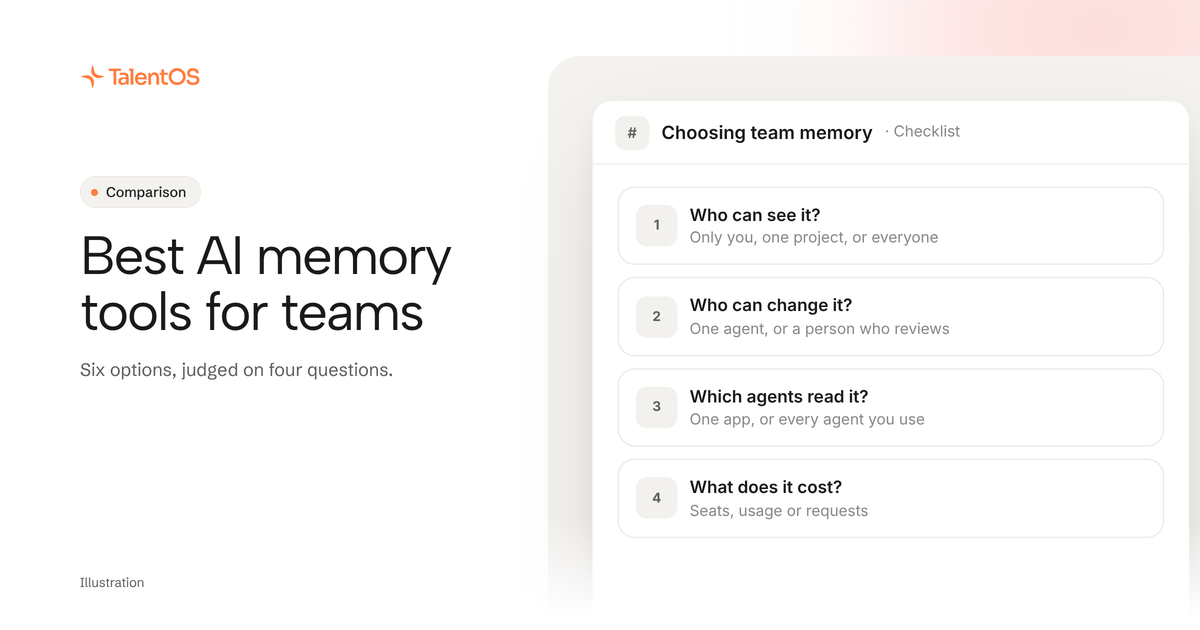
AI memory is the set of facts an AI keeps between conversations: preferences, client details, decisions, corrections. A team needs more than recall. We judged each option on four questions:
- Who can see a memory? Only the person who saved it, a project, or the whole company?
- Who can change it? Can one agent rewrite what everyone relies on, or does a person review it?
- Which agents can read it? One app, or Claude Code, Codex, Cursor and others?
- What does it cost? And what does the price depend on: seats, usage or requests?
The quick answer
Scroll to see all columns
| Option | Memory belongs to | Agents that can read it | Best for |
|---|---|---|---|
| Claude’s memory | Each person, plus each Claude project | The Claude apps | People who work mainly in Claude |
| Notion | Each person, through connected agents | Notion AI and agents connected by MCP | Teams that already run on Notion |
| Mem0 | Your product’s users | Your app, plus MCP clients | Developers adding memory to an app or agent |
| Supermemory | Your product’s users | Your app, plus MCP clients | Developers building on users’ documents |
| An Obsidian vault | Whoever holds the files | Agents with access to the folder | One person whose agents read local files |
| TalentOS | You, a Room, or the company | Claude Code, Codex, Cursor, AI teammates | Teams of people and agents sharing context |
1. Claude’s built-in memory
Claude can remember context from your chats and carry it into new conversations and Cowork tasks. Anthropic’s help article says memory is on by default for Free, Pro, Max and Ultra plans. On Team and Enterprise plans, owners decide whether memory is available, and owners “can’t view or edit a user’s individual memories.” Each project has its own memory, which Claude uses alongside your memory from chats outside projects, but not memory from other projects.
Choose it when most of your team’s AI work happens in the Claude apps and each person mainly needs Claude to remember them.
Where it stops: memory is per person and per project, inside Claude. A teammate’s agent in Codex or Cursor does not read it. Claude documents an import and export path if you move it. Checked November 12, 2026.
2. Notion
Notion’s MCP reference describes personal memories that a person’s connected agents save, such as context, preferences, corrections and decisions, and search in later sessions. Memory tools need memories turned on for both the person and the workspace. Notion has also released Lore, an open-source shared memory for agents built on five Notion databases and reached over MCP.
Choose it when your team already keeps its knowledge in Notion and wants agents to remember things in the same place people read.
Where it stops: the documented memory tools are personal. A shared memory for a team means setting up Lore or building your own structure in Notion pages, and deciding who may edit it. Read our TalentOS vs Notion comparison. Checked November 12, 2026.
3. Mem0
Mem0
A memory layer for AI agents and apps, offered as a hosted platform with an API and SDKs, an open-source version, and OpenMemory, a self-hostable MCP server for tools such as Claude, Cursor and Windsurf.
Who should pick it: Developers who want to add long-term memory to their own AI product or agent, or give a coding agent memory through MCP.
Mem0 documents a free Hobby plan (10,000 memory adds and 1,000 retrievals a month), paid plans from $19 a month, a Pro plan at $249 a month that includes graph memory, and an MCP URL that plugs into Claude Code, Cursor and other MCP clients. The open-source version is Apache 2.0.
What to confirm: Check where memories are stored, which plan your request volume needs, whether you need the hosted platform or OpenMemory, and who on your team can read what an agent saved.
Sources: Pricing; Platform or open source; OpenMemory MCP; Memory for Claude Code. Public documentation checked 2026-11-09.
Choose it when memory is a feature you are building, not a habit your team needs. Read our TalentOS vs Mem0 comparison.
4. Supermemory
Supermemory
A memory and context API for AI agents, with connectors that bring in content from tools such as Google Drive and Notion, and a hosted MCP server that AI clients sign in to with OAuth.
Who should pick it: Developers building AI products that need memory and retrieval over their users’ documents and connected apps.
Supermemory’s pricing page lists Free (with $5 of monthly credits), Pro at $19 a month, Max at $100 a month and Scale at $399 a month, all drawing down usage credits. Its docs describe connectors and a remote MCP server at mcp.supermemory.ai.
What to confirm: Check which plan includes the connectors you need (its billing docs and pricing page list them on different tiers), how usage credits map to your volume, and how memory is separated between your users.
Sources: Pricing; Connectors; MCP server. Public documentation checked 2026-11-09.
Choose it when your product needs memory and search over documents your users connect. Like Mem0, it is infrastructure for builders rather than a workspace for a team.
5. An Obsidian vault
Many people who use Claude Code keep their agent’s memory as Markdown files in an Obsidian vault. The app is free, the files are yours, and any agent that can read the folder can use them.
Choose it when you work alone, or your memory is notes your own agents read.
Where it stops: teams share a vault through Obsidian Sync, which costs $4 to $5 per person a month. Obsidian’s shared vault guide says fine-grained permissions are not supported yet: every collaborator gets the owner’s permissions except inviting, up to 20 people. There is no separate place for what should stay personal. Read our TalentOS vs Obsidian comparison. Checked November 12, 2026.
6. TalentOS
TalentOS is a shared AI workspace. Memory is one part of it, next to your team’s skills, routines and connected apps.
- Three audiences. Your memory is visible only to you, even from admins. Room memory belongs to one project or client, and its members can read and correct it. Company memory holds facts everyone should use, and a fact from a member is reviewed before everyone’s agents can use it.
- Every agent reads the same memory. Claude Code, Codex and Cursor connect with one command,
npx talentos@1 init. They can search memory before they start and save what they learn. Each person’s AI teammate in TalentOS reads the same memory. - Price: see TalentOS plans. Your own agents connect on every plan.
Where it stops: it is a hosted workspace, not a memory API to build into your own product. It does not import a memory export from ChatGPT or Claude today. Ask your agent to save the facts that matter.
How to choose in one afternoon
Write down five facts your team repeats to AI every week. For each one, mark who should see it: only you, one project, or everyone. Then ask:
- If most of your facts are personal and you live in one AI app, use that app’s memory.
- If you are building memory into a product for your own users, use Mem0 or Supermemory.
- If several people and their agents need the same facts, with some kept private and some shared, use a team workspace.
Test your pick with a second person. Save a fact from one agent, and ask a teammate’s agent to use it the next day. If it does, without anyone pasting anything, you have your answer.
Start with one line
To try TalentOS memory from the agent you already use, paste this into Claude Code, Codex or Cursor:
Set up TalentOS for me. Run `npx talentos@1 init` and wait while I approve the sign-in in my browser. When it finishes, tell me to restart you so the TalentOS tools load. Then search my TalentOS memory for what you should know about me.
For the details, read how to give Claude Code, Codex and Cursor the same memory.
Written by TalentOS using each vendor’s own documentation on the dates shown. This is a fit comparison, not a hands-on benchmark or a claim of complete feature parity.