Best ways to share AI skills with your team in 2026
Five ways to share AI agent skills across a team, from a Git repo with the skills CLI and Claude Code plugin marketplaces to Notion Skills, Agentman and TalentOS. Which agents can use them, how updates reach people, who controls sharing, and what it costs.
By TalentOS
The best way to share AI skills with your team depends on where your team works. If everyone codes and lives in Git, a private repo with the skills CLI is free and works with almost every agent. If everyone uses Claude Code, a private plugin marketplace keeps the whole setup in one place. If your team runs on Notion, Notion Skills keep skills next to your docs. For a governed skill library across AI tools, look at Agentman. For skills shared alongside memory, routines and apps, with people who never open a terminal, look at TalentOS.
A skill is a reusable method an AI agent follows: a SKILL.md file with what it is for, the steps and what good output looks like, plus any reference files. Sharing one is easy. Keeping every teammate on the current version is the hard part. We are TalentOS, so read our entry with that in mind. Everything about other products comes from their own documentation, checked on November 12, 2026 unless the entry says otherwise. It is not a hands-on benchmark.
How we chose
We judged each option on four questions:
- Which agents can use the skills? One tool, or Claude Code, Codex, Cursor and others?
- How do updates reach people? Automatically, on a command, or by copying files again?
- Who controls sharing? Anyone with the repo, an admin, or the skill’s author?
- What does it cost? And can teammates who do not code use the skills?
The quick answer
Scroll to see all columns
| Option | Agents | How updates arrive | Best for |
|---|---|---|---|
| A Git repo with the skills CLI | Claude Code, Codex, Cursor and 75 more | npx skills update |
Teams who all work in Git |
| A Claude Code plugin marketplace | Claude Code | From the marketplace you control | Teams standardized on Claude Code |
| Notion Skills | Notion AI and agents connected by MCP | Edit the Skill page | Teams that already run on Notion |
| Agentman | Claude, Claude Code, ChatGPT, Cursor | Versioned library | A governed skill library across AI tools |
| TalentOS | Claude Code, Codex, Cursor, AI teammates | Agents fetch the current version | Mixed teams sharing skills, memory and apps |
1. A Git repo with the skills CLI
Vercel’s open-source skills CLI installs skills from a Git repository into your agents’ skill folders. Its README lists support for OpenCode, Claude Code, Codex, Cursor and 75 more agents, and skills.sh is its public directory. Private repositories work with the same command, using the Git credentials you already have. npx skills check and npx skills update pick up new versions.
Choose it when everyone on the team works in Git and a pull request is how you review a change to a skill.
Where it stops: sharing is whoever can read the repo. There is no separate audience per skill unless you split repos, and a teammate who does not use Git or a coding agent cannot use the skills.
2. A Claude Code plugin marketplace
In Claude Code, a plugin packages skills, subagents, hooks and MCP servers as one unit. Anthropic’s marketplace guide describes running your own catalog for “your team or your organization”: the repository can be private, it can list as many plugins as you like, and an administrator can require it on every machine.
Choose it when your whole team uses Claude Code and you want skills, hooks and MCP setup to ship together.
Where it stops: it is built for Claude Code. Teammates in Codex or Cursor, or people who do not code, need another path.
3. Notion Skills
Notion’s MCP reference describes Notion Skills: pages in a Skills database that can import and export the standard SKILL.md format. Each person chooses which Skills are enabled for their connected agents and for Notion AI. The enabled list Notion’s MCP server returns holds at most 30 Skills.
Choose it when your team already writes and reviews its methods in Notion and wants agents to read them there.
Where it stops: a person with more than 30 enabled Skills does not see all of them in that list, and sharing follows Notion’s page permissions. Read our TalentOS vs Notion comparison.
4. Agentman
Agentman
Agent Skills, a team library for AI skills that one MCP connection brings into Claude, Claude Code, ChatGPT and Cursor, with separate workspaces per client, matter or project.
Who should pick it: Teams that want one versioned, governed library of skills their people can use from the AI tools they already have.
Agentman documents skill versioning, workspaces that keep skills and credentials apart, and sign-in per member. Its pricing page lists Free (up to 3 members and 10 private skills), Team at $10 per seat a month (3-seat minimum) and Business at $25 per seat a month (5-seat minimum) with per-skill access control, approvals and activity visibility.
What to confirm: Check which AI tools your team uses, how a skill moves from a draft to the shared library, and whether you need memory, scheduled work or connected apps beyond skills.
Sources: Agent Skills; Pricing; Connect your AI tools. Public documentation checked 2026-11-09.
Choose it when the thing to share is a governed skill library. Read our TalentOS vs Agentman comparison.
5. TalentOS
TalentOS is a shared AI workspace. Skills live there next to your team’s memory, routines and connected apps.
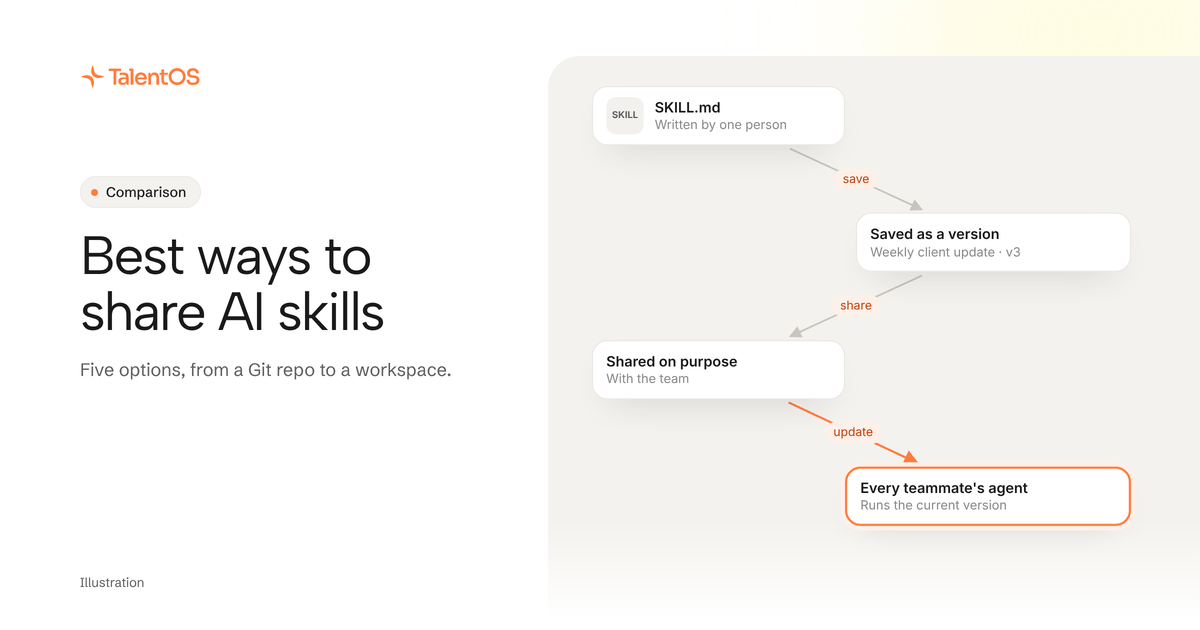
- Save from any agent, share on purpose. Your agent saves a skill with one call, and it starts private to you. A person shares it with one Room or with the whole company. Saving the same files again never creates a duplicate.
- Every agent gets the current version.
npx talentos@1 initsaves the company’s shared skills into the folders Claude Code, Codex and Cursor read, and connected agents can fetch the current version when they need it. - Not only for people who code. Each person’s AI teammate in TalentOS runs the same skills from the web app or a Room. Teammates can rate shared skills and request edits, so the best ones rise.
- Price: see TalentOS plans. Your own agents connect on every plan.
Where it stops: it is a hosted workspace. If your team only wants a skill folder in Git, the skills CLI is simpler.
How to choose in one afternoon
Pick the one skill your team would miss most. Then:
- Share it with one teammate using the option you are testing.
- Have them run it from their own agent, without your help.
- Improve the skill and see how long it takes for their copy to change.
The right option is the one where step 3 happens without anyone remembering to copy a file. Our guide to testing a skill before you share it has a short checklist.
Start with one line
To try sharing skills in TalentOS from the agent you already use, paste this into Claude Code, Codex or Cursor:
Set up TalentOS for me. Run `npx talentos@1 init` and wait while I approve the sign-in in my browser. When it finishes, tell me to restart you so the TalentOS tools load. Then list my TalentOS skills and tell me what you can now use.
For the details, read how to use the same skills in Claude Code, Codex and Cursor.
Written by TalentOS using each vendor’s own documentation and source code. This is a fit comparison, not a hands-on benchmark or a claim of complete feature parity.