TalentOS vs Agentman: how to share AI skills across your team
Agentman's Agent Skills is a team library of AI skills that one connection brings into Claude, ChatGPT and Cursor. TalentOS shares skills along with memory, routines, connected apps and Rooms. How to choose.
By TalentOS
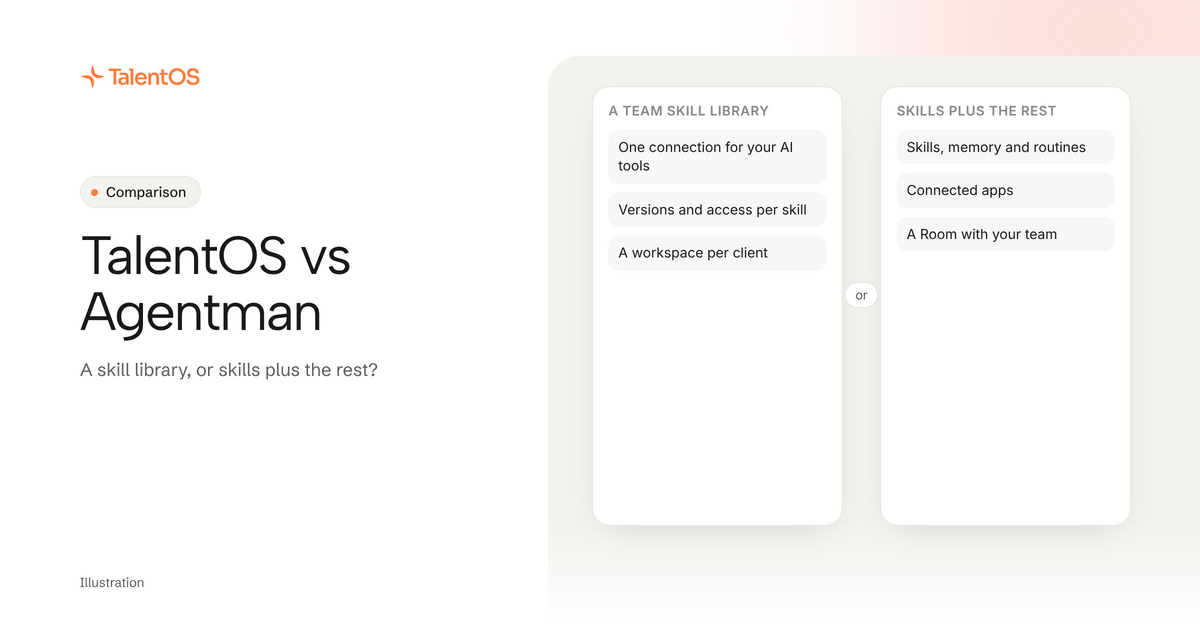
Pick Agentman if the main thing you want to share is a governed library of AI skills, used from the AI tools your people already have, including the Claude and ChatGPT apps. Evaluate TalentOS if skills are one part of a bigger need: shared memory, routines, connected apps and Rooms where people and agents work on the same project.
Both start from the same idea: a method that works for one person should work for the whole team. This comparison is based on public documentation checked on November 9, 2026, not a hands-on test.
First, what is a skill?
A skill is a saved method your AI follows: instructions, the inputs it needs and the checks it should run. “How we write a client update” is a skill. Claude, ChatGPT and coding agents can all follow skills, which is why teams want to share them instead of keeping them in one person’s chat history.
Who should pick Agentman?
Agentman
Agent Skills, a team library for AI skills that one MCP connection brings into Claude, Claude Code, ChatGPT and Cursor, with separate workspaces per client, matter or project.
Who should pick it: Teams that want one versioned, governed library of skills their people can use from the AI tools they already have.
Agentman documents skill versioning, workspaces that keep skills and credentials apart, and sign-in per member. Its pricing page lists Free (up to 3 members and 10 private skills), Team at $10 per seat a month (3-seat minimum) and Business at $25 per seat a month (5-seat minimum) with per-skill access control, approvals and activity visibility.
What to confirm: Check which AI tools your team uses, how a skill moves from a draft to the shared library, and whether you need memory, scheduled work or connected apps beyond skills.
Sources: Agent Skills; Pricing; Connect your AI tools. Public documentation checked 2026-11-09.
Agentman is focused. If your problem is “our best prompts are scattered, and we want one versioned library everyone can use from Claude, ChatGPT or Cursor,” that is exactly what Agent Skills is built for. Its Business plan adds per-skill access control and approvals, which suits teams that need to govern who can use what.
Who should evaluate TalentOS?
TalentOS keeps skills alongside the rest of your company context:
- Skills you can save from any chat, share with a Room or the whole company, rate and download as files.
- Memory that is yours, your Room’s or the company’s.
- Routines that run a job on a schedule, like a Monday digest.
- Connected apps like Gmail, Slack and HubSpot that agents use through TalentOS, asking before they send anything.
- Rooms where people, their AI teammates and their own agents work on the same project.
Claude Code, Codex and Cursor connect with one command, npx talentos@1 init, which also saves your team’s skills into the folders those agents read.
Where they overlap
Both:
- keep a shared team library of skills
- connect it to coding agents like Claude Code and Cursor
- let each person sign in with their own account
If shared skills are all you need, compare the two libraries directly: how a draft becomes a shared skill, how versions work and who can change them.
Where they differ
Scroll to see all columns
| Question | Agentman Agent Skills | TalentOS |
|---|---|---|
| What it shares | Skills, organized in workspaces | Skills, memory, routines and connected apps |
| Where people use it | Claude, Claude Code, ChatGPT and Cursor, through one MCP connection | Claude Code, Codex and Cursor, and the TalentOS app with an AI teammate |
| Working together | A shared library | Shared Rooms where people and agents hand work to each other |
| Governance | Per-skill access and approvals on Business | Private, Room or company sharing; sends, payments and deletes ask first by default |
| Price | Free for 3 members; Team $10 a seat (3-seat minimum); Business $25 a seat (5-seat minimum) | Free plan; Team $20 a member, Business $40 (pricing) |
If your team works mostly in the ChatGPT or Claude apps rather than coding agents, check how each product connects there before you choose.
Three questions that decide it
Is a skill library the whole job? If yes, a focused library is simpler and cheaper per seat. If your agents also need to remember clients, run weekly jobs and use your apps, you want those in the same place as the skills.
Where does the work happen? A library feeds the AI tools you already use. A workspace also gives the work a home: the doc, the deck, the decision and the people involved, in one Room.
How many people need it? Agentman’s paid plans have seat minimums. TalentOS has a free plan for small teams and per-member pricing after that.
Try it on one real job
Take one skill your team already relies on. Share it in the option you are considering, then ask someone who has never used it to run it on a real example. If they get the same result without asking you, the setup works.
Read how to use the same skills in Claude Code, Codex and Cursor, or see skills for every agent.