How to give Claude Code, Codex and Cursor the same memory
Each AI keeps its own memory, so you repeat yourself. Here is how to give Claude Code, Codex, Cursor and your AI teammate one shared memory, what to save in it, and what stays private.
By TalentOS
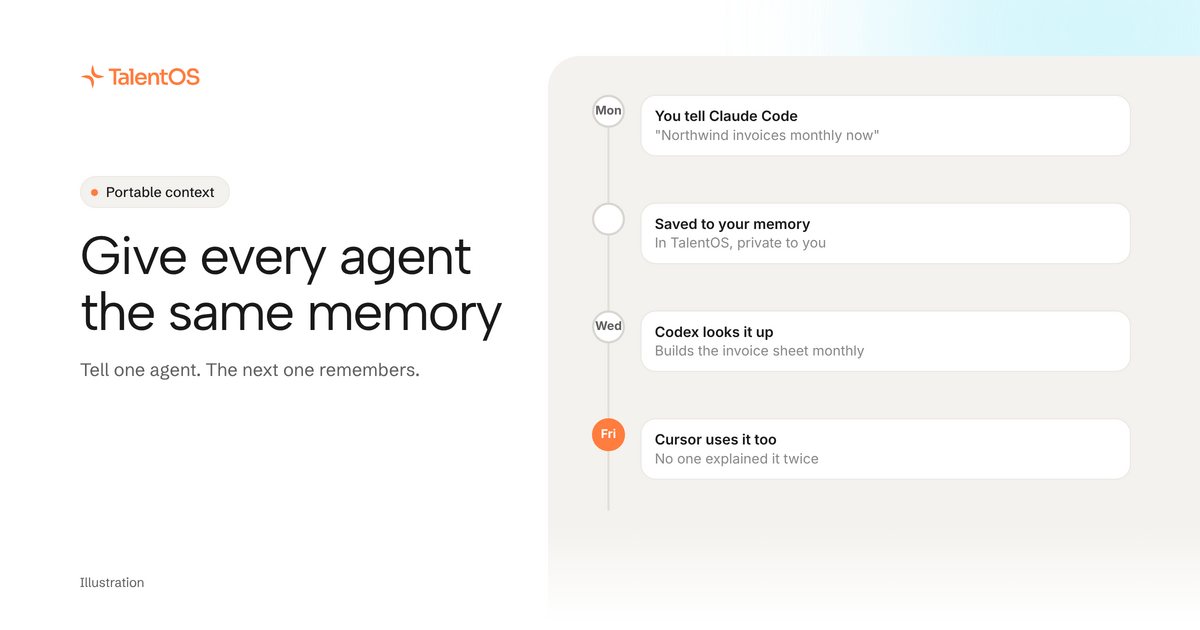
To give Claude Code, Codex and Cursor the same memory, store your memory outside any one of them and connect all three to it. With TalentOS you connect each agent once. After that, any of them can search your memory before it starts and save new facts as you work, and the next agent finds them.
Here is how to set it up, what is worth remembering, and what stays private.
Why every agent forgets
Claude Code has its project files. Codex has its own. Cursor has its rules. Each is useful, and each lives inside one tool. Tell Codex on Tuesday that a client moved to monthly invoices, and Claude Code on Thursday has never heard of it.
So you become the memory. You paste the same background into every new session, and you slowly stop trying new tools because starting over is tiring.
Step 1: connect your agents
Paste this into Claude Code, Codex or Cursor:
Set up TalentOS for me. Run `npx talentos@1 init` and wait while I approve the sign-in in my browser. When it finishes, tell me to restart you so the TalentOS tools load. Then search my TalentOS memory for what you should know about me.
Approve the sign-in in your browser and restart the agent. Setup finds all three agents on your computer and connects each of them, so you only do this once. The setup guide covers each step.
Step 2: save as you work
You do not need to fill in a form. Just tell whichever agent you are using:
- “Remember that Northwind wants monthly invoices now.”
- “Remember I write client updates as bullet points.”
- “Remember that Jen approves anything over $5k.”
The agent saves it to your memory in TalentOS. If you say the team should know too, it goes to company memory instead, where it is reviewed before everyone’s agents can use it.
Step 3: let the next agent look it up
Start your next session with a question:
- “What do we know about Northwind?”
- “Check my memory before you start.”
The agent searches your memory and the company’s, then works from what it finds. If you use a TalentOS AI teammate too, it reads the same memory.
Three kinds of memory, three audiences
Scroll to see all columns
| Memory | What goes in it | Who can see it |
|---|---|---|
| Your memory | Your preferences, your clients, how you work | Only you, even from admins |
| Room memory | Decisions and facts about one project or client | That Room’s members |
| Company memory | Facts everyone should use | Your workspace, after a review |
Your agent reads your memory, never a teammate’s. Room memory is a shared page kept up to date from the Room’s conversation, and Room members can read and correct it. Our guide to shared memory for AI teams goes deeper.
What is worth remembering
Good memory is short, current and useful to the next session:
- Facts that change your output. “Prices in euros for this client.”
- Decisions. “We dropped the free tier on November 3.”
- Preferences. “No jargon in client emails.”
- People. “Marco covers for Jen next week.”
Skip things the agent can look up itself, like the contents of a file in your project. And when something stops being true, say so: “Northwind is back on quarterly invoices.”
Does this replace CLAUDE.md or AGENTS.md?
No. Keep those files for rules about one codebase: how to run the tests, which folders to leave alone. TalentOS memory holds what you know about people, clients and decisions, and it follows you across projects and agents.
What it does not do
- It does not retrain any model. Memory is text your agent reads when it needs it.
- It cannot import a memory export from ChatGPT or Claude today. Ask your agent to save the facts that matter.
- The ChatGPT and Claude apps connect differently. They sign in at
https://mcp.talentos.so/mcpand work in the Rooms you choose, while Claude Code, Codex and Cursor use the setup line above.
Memory is only the start
Once your agents share memory, the next thing you notice is that they also need your methods, your weekly jobs and your apps. That is portable context: skills, routines and connected apps in the same place as your memory.
See how it fits together on the memory across agents page.