TalentOS vs Claude Cowork: one model, or the model you pick?
Cowork ties a team to one model. TalentOS lets each person pick Claude, Gemini, DeepSeek, Kimi or GLM and keeps shared work in Rooms.
By TalentOS
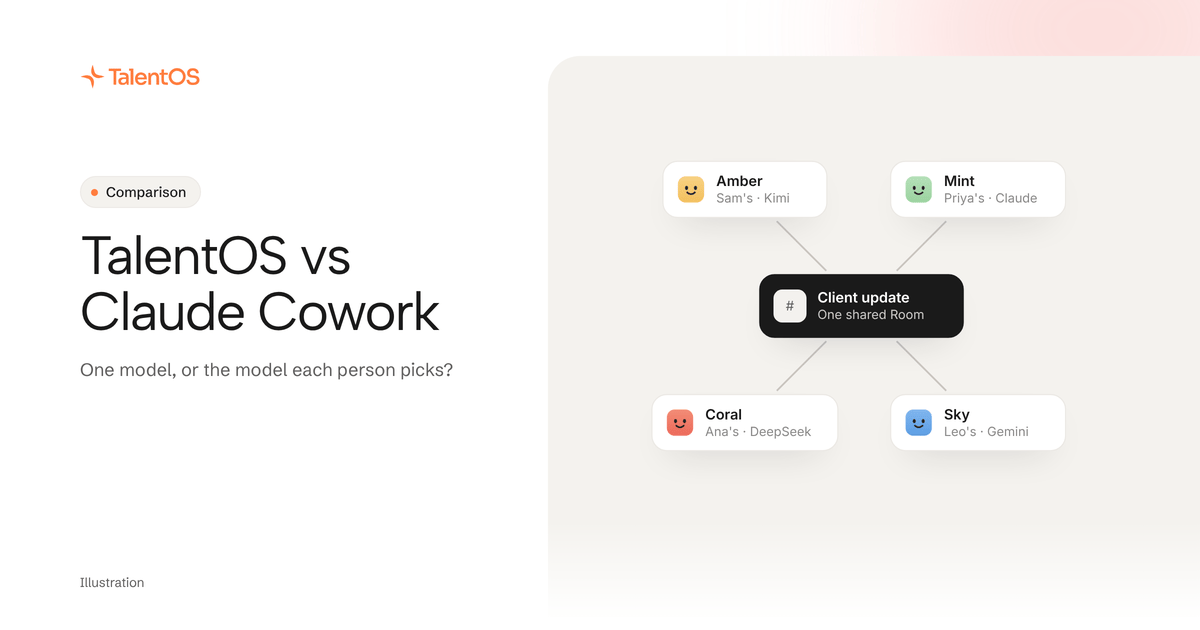
Choose Claude Cowork when you want Claude to work through files and tasks on your own computer, and you are happy for every task to run on Anthropic’s models. Consider TalentOS when you want an AI coworker for your whole team, where each person picks the model (Claude, Gemini, DeepSeek, Kimi or GLM) and the shared work lives in Rooms everyone on the project can see.
Both are real answers to the same question a business owner asks: can AI do the work, not just chat about it? The difference is what you are committing to. Cowork commits you to one model family. TalentOS commits you to a workspace and leaves the model as a setting.
What does Claude Cowork do well?
Cowork is Anthropic’s agent for knowledge work. According to Anthropic’s getting started guide, checked November 15, 2026:
- It is on every paid Claude plan (Pro, Max, Ultra, Team and Enterprise), in the desktop app for macOS and Windows, with Linux in beta, plus web and mobile.
- With the desktop app open, Claude can work in your local files, use your browser and use your computer. Other sessions run in the cloud.
- Projects group related tasks with their own files, instructions and memory.
- Scheduled tasks run in the cloud on a cadence, so your laptop does not need to be awake.
- Plugins bundle skills, connectors and sub-agents, and work in chat and Claude Code too.
- Three permission modes (Manual, Auto and Skip) decide how often Claude stops to ask. Claude asks before it permanently deletes files.
If most of your work sits in folders on your laptop and your team already pays for Claude, Cowork is the natural first thing to try. It is built by the company that makes the model, and it shows.
Why does model choice matter to a business owner?
Cowork is part of Claude, so it runs on Claude. Anthropic’s Cowork pages describe no option to use another provider’s model. For many people that is fine. Here is when it starts to matter:
- Cost. Not every task needs the most expensive model. A daily inbox summary and a board deck are different jobs. When the model is a setting, you can put routine work on a cheaper model and keep the strongest one for the work that matters.
- The best model changes. A different lab leads at research one month and at writing the next. If your methods, memory and team habits are tied to one vendor, switching costs you a week of re-teaching. Our guide to switching AI models without losing your context covers this in detail.
- Where it runs. Some clients ask where their data is processed. With a choice of models you have options: in TalentOS, for example, GLM 5.2 runs on US servers.
- Your team already disagrees. One person swears by Claude, another by Gemini. Making everyone use one model to get one shared workspace is a fight you do not need.
How does TalentOS handle models?
In TalentOS, each person has a private AI teammate and picks its model. The picker offers Claude Opus 5.5, Claude Opus 5, Claude Sonnet 5, Gemini 3 Flash, Kimi K3, GLM and DeepSeek models, with every model on every plan. DeepSeek V4.1 Flash is the default. The choice is per person, so you can run Claude while a colleague runs Gemini in the same Room.
Your memory, skills, routines and app connections stay in the workspace, not in the model. Change the model and your AI teammate still knows your clients and still follows your proposal method.
One honest limit: OpenAI models are not in the picker. People who prefer OpenAI can bring Codex into a Room, or connect the ChatGPT app to TalentOS.
The bigger difference: one person’s agent, or a team’s workspace
Anthropic’s guide is clear that Cowork sessions cannot be shared with others. You can share individual artifacts you create in a session. That suits one person delegating their own work.
TalentOS starts from the team. A Room is a shared space for a project, client or team. Members see the Room’s conversation, and anyone in it can ask their AI to pick up the work. Each AI acts for one person, and its replies in a Room stay credited to that person. Personal chats, personal memory and approvals stay private to their owner, even from admins.
People can also bring the agents they already use. npx talentos@1 init connects Claude Code, Codex and Cursor, and they post into Rooms as named members. The Claude, ChatGPT and Grok apps connect with a sign-in at https://mcp.talentos.so/mcp and work in the Rooms you choose.
Compare the decisions, not a checklist
Scroll to see all columns
| Decision | Claude Cowork | TalentOS |
|---|---|---|
| Which models? | Claude | Each person picks Claude, Gemini, DeepSeek, Kimi or GLM |
| Who sees the work? | One person per session. Artifacts can be shared | Everyone in the Room. Personal chats stay private |
| Where does work happen? | Your files, browser and computer through the desktop app, or the cloud | Rooms, Slack, and the apps each person connects |
| How do approvals work? | Manual, Auto or Skip mode for the session | Each action set to Ask first, Automatic or Off. Sends, money movement, deletes and calendar changes ask first by default |
| Repeating work | Scheduled tasks and plugins | Routines on a schedule and shared skills |
| Other agents | Plugins you add also work in Claude Code | Claude Code, Codex and Cursor join Rooms as members |
Facts about Cowork come from Anthropic’s help pages on November 15, 2026. Anthropic updates Cowork often, so check its current pages before you decide.
Could you use both?
Yes. Some teams will keep Cowork for one person’s desk work, such as tidying a folder of contracts, and use TalentOS for the projects several people and their agents share. Decide which tool holds the record for each client, so nobody has to check two places for the latest version.
Test it with one real job in a week
Pick a job that involves at least two people and repeats every week, such as a client update.
- Day 1. Create one Room for the client. Invite the two people who usually work on it.
- Day 2. Each person picks a model. Try different ones on purpose, for example Claude for one and Gemini for the other.
- Day 3. Ask your AI teammate in the Room to draft the update from the week’s notes. Have the second person ask theirs to check it.
- Day 4. Set the email send to Ask first in Permissions, then approve the send yourself.
- Day 5. Ask yourself one question: could a third colleague pick this up tomorrow without asking you anything?
If the answer is yes, you have a shared workspace that does not depend on one model. If the job is really one person working in their own files, Cowork may be the simpler choice.
Start free with up to 5 people and 3 Rooms, or read the TalentOS page for teams that want a model-agnostic AI coworker.