How to switch AI models without losing your context
A better model comes out every few weeks. Switching should not mean re-teaching it your clients, your methods and your tools. Here is how to keep your context when you change models or agents.
By TalentOS
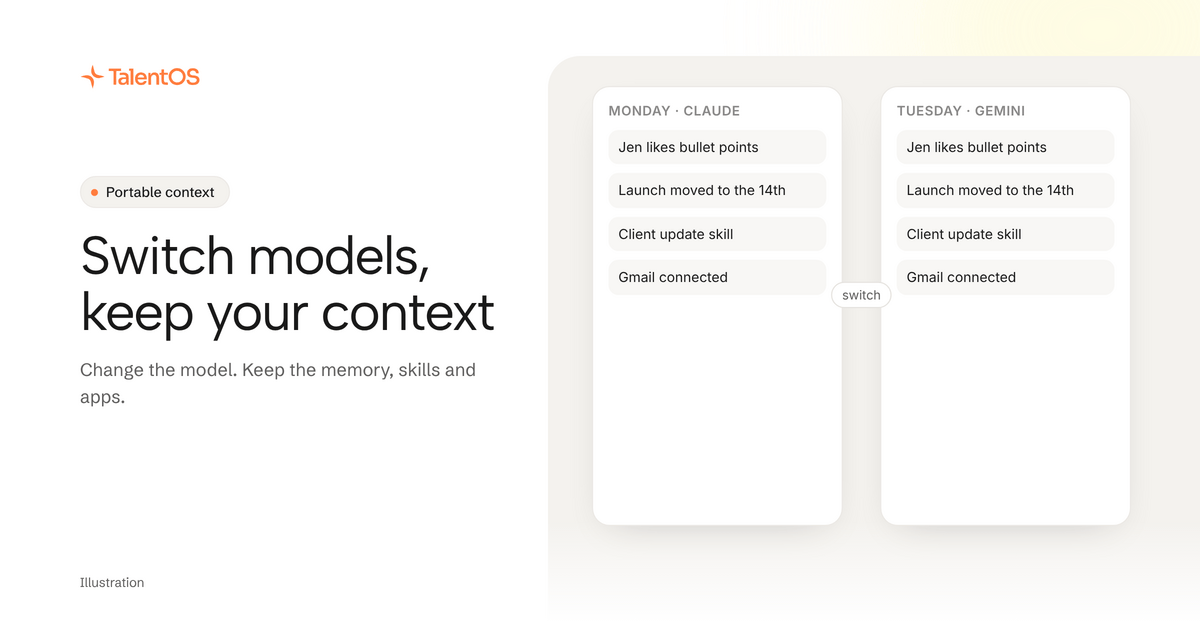
To switch AI models without losing your context, keep the context somewhere the model does not own. Store your memory, skills, routines and app connections in one workspace, and let the model or agent change on top of it. Then switching is a setting, not a fresh start.
This matters more each month. A new model is better at code one week and better at writing the next. If every switch costs you a day of re-explaining, you stop switching, and you end up using last season’s model out of habit.
What you actually lose when you switch
When people say they lose their context, they usually mean five different things:
- Memory. The facts the old assistant had learned about you and your clients.
- Methods. The prompts and instructions you refined over months.
- Scheduled jobs. The weekly report that ran inside the old tool.
- App access. Email, calendar and CRM connections, set up again in the new tool.
- Shared work. The threads and files your team built with the old assistant.
A model switch inside one app can keep some of these. A switch to a different app or agent usually keeps none.
The fix: separate the context from the model
Think of the model as the engine and your context as the car. You should be able to change the engine without rebuilding the car.
In TalentOS that looks like this:
- Your AI teammate runs on the model you pick: Claude, Gemini, DeepSeek, Kimi or GLM. Change it in a setting. Its memory, skills and routines stay where they were.
- Your own agents (Claude Code, Codex and Cursor) connect to the same memory and skills with one setup line. Move from one to another and the new one starts from what you already taught the old one.
- Your connected apps are connected to TalentOS, not to each AI. Switch models and Gmail is still connected.
- Your team’s work lives in Rooms, so it is there whichever AI picks it up next.
OpenAI models are not in the TalentOS model picker today. If you use Codex, connect it as your own agent; it uses the same memory and skills.
How to switch without losing anything
Here is a simple routine for your next switch.
Before you switch:
- Ask your current AI to save anything important it knows: “Save to my TalentOS memory the five facts about our clients you rely on most.”
- Save the method behind your best work as a skill: “Save how you wrote that update as a skill.”
- Check your routines are in TalentOS, not in the old tool.
After you switch:
- Ask the new model or agent: “Search my memory and list my skills before we start.”
- Give it one job you know well, like last week’s client update, and compare the result.
- If something is missing, that is a gap in your context, not a flaw in the new model. Save it and run the job again.
A worked example
An illustrative example, not a customer story.
Maya’s AI teammate has run on Claude for a month. It knows her three clients, follows the team’s client update skill and posts a Monday digest in the Northwind Room. A new Gemini model looks better at long reports, so she switches the model in her settings.
On Tuesday she asks for the Northwind update. The new model follows the same skill, uses the same memory (Jen likes bullet points, the launch moved to the 14th) and posts in the same Room. The Monday digest runs as usual. Nothing was re-taught.
Later that week she opens Codex in her terminal for a pricing calculator. It connects to the same TalentOS memory, so it already knows Northwind invoices in euros.
Questions worth asking any AI tool
Before you put months of context into a tool, ask:
- Can I export my memory and skills, or do they stay inside this app?
- If I change the model, does my history come with me?
- Are my app connections tied to this AI, or to me?
- Can another agent I use read the same context?
In TalentOS, skills download as plain files, your memory sits in your workspace rather than inside one model, and app connections belong to you, not to a model.
Next
Read what portable context is, or see the own your context page.