Own your context: why your AI's knowledge shouldn't live in one app
The models will keep changing. What your AI knows about your company is the part worth keeping. Why your skills, routines, connectors and memory should live in one place you own, and what to look for.
By TalentOS
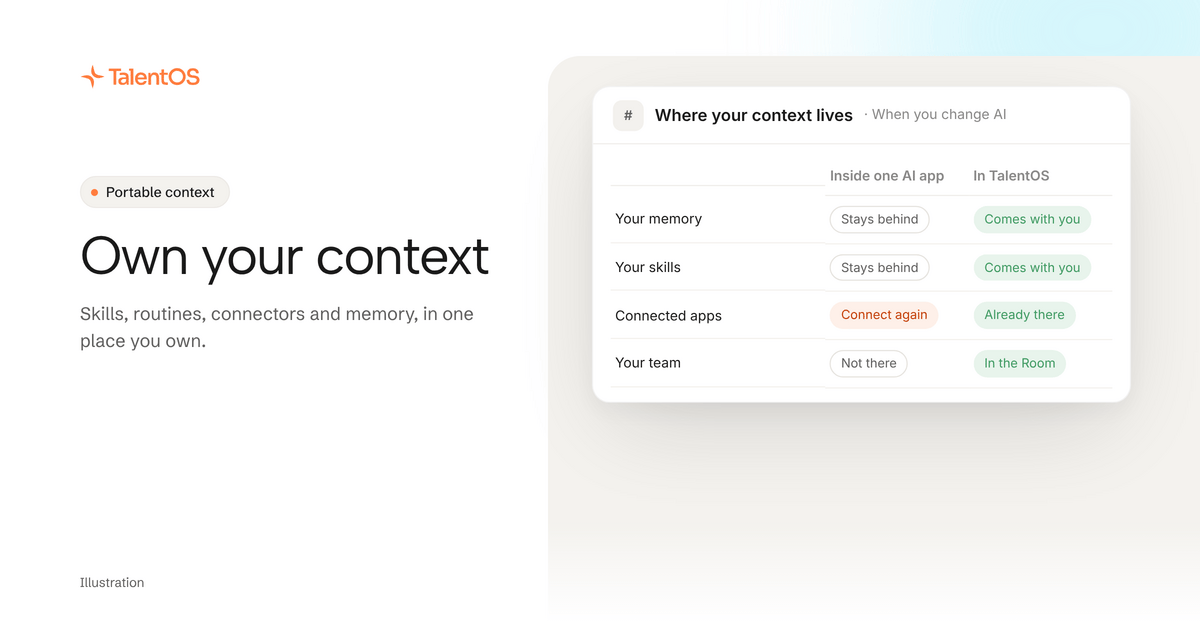
Own your context. Keep your skills, routines, connectors and memory in one place that belongs to you, and connect your AI agents to it. Do not leave them scattered inside whichever AI app you happen to use this month.
That is the whole argument. Here is why we think it matters.
The model is the part that changes
Plenty of people now use three or four AI tools at once. Claude for writing, Claude Code or Codex for building, something else for meetings, and a new app every few weeks. The best model for a job changes often, and it will keep changing.
Every one of those tools learned something about you while you used it. Your clients. Your tone. The way you like a report laid out. The apps you connected. When you move on, that knowledge stays behind in the old tool.
So the expensive part of AI is not the subscription. It is the months of context you keep rebuilding.
What “context” really means
When people hear context, they think memory: facts the AI saved about you. Memory matters, but it is a small part of what makes an AI useful at work. Your company’s context is five things:
- Memory: what you and your team know. “Northwind’s renewal is March 1.”
- Skills: how you like jobs done. “How we write a client update.”
- Routines: work that runs on its own. “The Monday digest at 8:30.”
- Connectors: the apps the work happens in. Gmail, Slack, HubSpot, Notion.
- Your team: the people and agents on the same project, and what they have already done.
An AI with all five can do a job the way your company does it. An AI with only memory can remember a few facts about it.
Three reasons to own it
You will switch tools. A better model or agent will come along. If your context lives in one place you own, switching is a setting. If it lives inside the old app, switching is a project.
Your team needs the same context. If your methods live in your personal chat history, your colleague’s AI cannot use them. Put them in one shared place and everyone’s agents work the same way.
Your apps should be connected once. Every new AI tool asks for your email, calendar and CRM again. Each one is another place holding the keys. Connect them once, somewhere you control, and let your agents use them from there, with your approval on anything that sends, pays or deletes.
What to look for
If you want to own your context, look for four things in whatever you use:
- One place for all five parts. Not memory in one tool, prompts in another and automations in a third.
- Plain, portable formats. Can you download your skills as files? Can you read what it remembers?
- More than one agent. Can the agents you already use connect to it, not just its own built-in assistant?
- Privacy that matches your team. Your private notes should stay yours. Shared project context should be shared with the project, not the whole internet.
How TalentOS does it
We built TalentOS around this idea. We call it the company harness: one place where your people, your agents, your knowledge and your tools work together. Our manifesto says more about why.
Today, in practice:
- Your memory, skills, routines and connected apps live in your TalentOS workspace.
- Claude Code, Codex and Cursor connect with one setup line. They can search your memory, save new facts, follow your skills and start your routines.
- Your AI teammate in TalentOS uses the same context on the model you pick: Claude, Gemini, DeepSeek, Kimi or GLM.
- Skills download as plain files.
- Connected apps stay behind TalentOS. When an agent uses Gmail for you in a Room, it never sees your password, and sends ask you first.
- Personal memory is private to you, even from admins. Room and company memory are shared with the people they belong to.
Coding agents connect with one setup line. The ChatGPT, Claude and Grok apps connect with a sign-in at https://mcp.talentos.so/mcp and work in the Rooms you choose. We list only the agents TalentOS supports today.
Start with one line
Paste this into Claude Code, Codex or Cursor:
Set up TalentOS for me. Run `npx talentos@1 init` and wait while I approve the sign-in in my browser. When it finishes, tell me to restart you so the TalentOS tools load. Then list my TalentOS skills and tell me what you can now use.
Then read what portable context is, or see the own your context page.