AI memory vs a company harness: what do your agents need?
Agent memory helps an AI remember facts. A company harness also gives it your methods, your schedule, your apps, your approvals and your team. Here is the difference, and how to tell which one you need.
By TalentOS
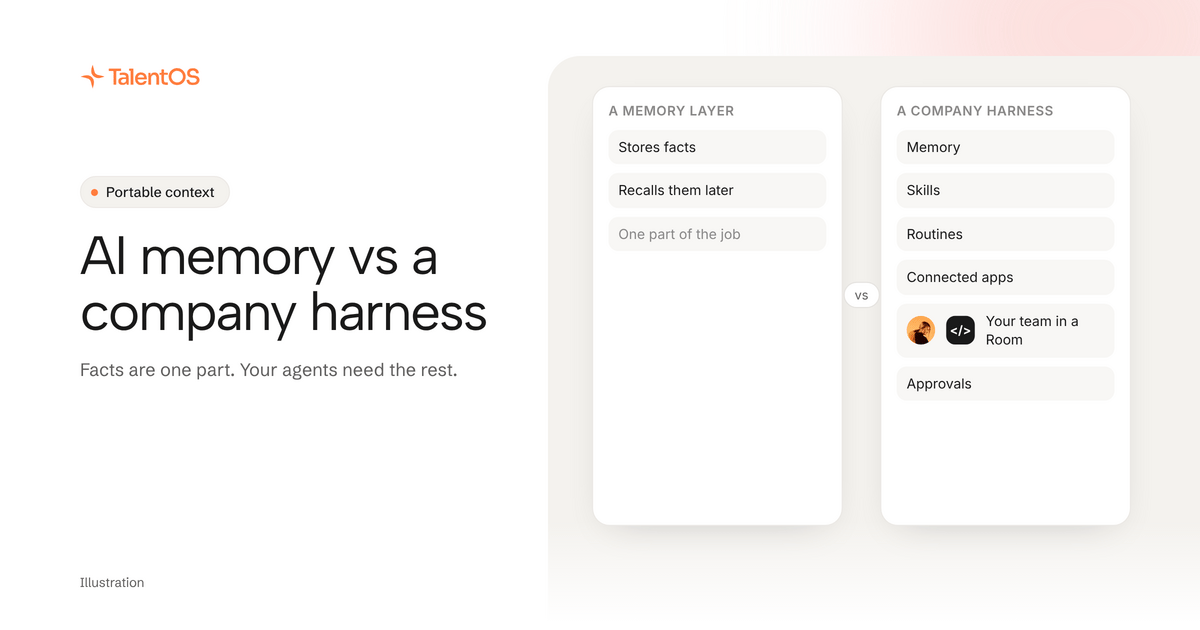
AI memory lets an agent store facts and recall them later. A company harness gives the agent everything else it needs to do real work at a company: your methods, your scheduled jobs, your apps, the people it works with and the rules about what needs a yes. Memory is one part of a harness. If your agents work alone on small tasks, memory may be enough. If they do work other people depend on, you need the rest.
What agent memory does well
Agent memory tools have become popular for good reason. The idea is simple: an agent saves what it learns (“this user prefers Python,” “the renewal is March 1”) and searches it at the start of the next session. Some tools focus on developers adding memory to their own apps. Others plug into coding agents so they remember a user across sessions.
That solves a real problem. An agent with memory stops asking the same questions. It gets better with each session instead of starting from zero.
Where memory runs out
Now imagine a new colleague who has perfect memory of every fact you ever told them, and nothing else.
They remember that Northwind’s renewal is March 1. But they do not know how your team writes a renewal proposal. They do not know the proposal goes out every quarter. They cannot open the CRM. They do not know Leo already drafted half of it. And nobody told them that pricing changes need the founder’s approval.
Facts are necessary. They are not the job.
The six parts of a company harness
We use the term company harness for everything a company connects around its AI so it can do useful, accountable work. Our manifesto explains why we think every company working with agents will need one. In practice it has six parts:
Scroll to see all columns
| Part | The question it answers | Example |
|---|---|---|
| Memory | What do we know? | Northwind invoices monthly |
| Skills | How do we do this job? | Our renewal proposal method |
| Routines | What runs on its own, and when? | The Monday client digest |
| Connections | Which tools does the work use? | Gmail, HubSpot, Slack |
| Team | Who else is working on this? | A Room with Leo, Maya and their agents |
| Approvals | What needs a person to say yes? | Sends, money movement and deletes ask first |
Memory answers the first question. A harness answers all six.
How the parts work together
Here is an illustrative example of one job, done with a harness.
Maya asks Claude Code to prepare the Northwind renewal. It searches memory (renewal March 1, monthly invoices, Jen approves over $5k), follows the team’s renewal skill and reads the latest deal notes from HubSpot through TalentOS. It finds Leo’s draft in the Northwind Room and builds on it instead of starting again. When the proposal is ready to send, the send waits for Maya’s approval.
Take away memory and the agent asks Maya for the background. Take away skills and the proposal looks different every quarter. Take away connections and someone pastes the CRM notes by hand. Take away the Room and Leo’s draft is wasted. Take away approvals and nobody checked what went to the client.
Which one do you need?
You probably need agent memory alone if:
- You work by yourself, mostly in one agent.
- The work is short and nobody else depends on it.
- You are building your own AI app and want it to remember its users.
You probably need a company harness if:
- You use more than one agent, or plan to switch.
- Colleagues pick up work your AI started.
- Your AI touches email, calendars, CRMs or money.
- You want the same job done the same way next month.
What TalentOS includes
TalentOS is a shared AI workspace built as a company harness. Today:
- Memory at three levels: yours (private, even from admins), each Room’s and the company’s.
- Skills your agents follow, kept as plain files you can download.
- Routines that run on a schedule.
- Connected apps that agents use through TalentOS, without seeing your password or token.
- Rooms where people, their AI teammates and their own agents like Claude Code and Codex work on the same project.
- Approvals: sends, money movement, deletes and calendar changes ask first by default, and you choose per action.
Claude Code, Codex and Cursor connect with one setup line and reach your memory, skills and routines. In a Room they can also use your connected apps when you ask. The ChatGPT, Claude and Grok apps connect with a sign-in at https://mcp.talentos.so/mcp and work in the Rooms you choose.
Next
Read what portable context is, see the own your context page, or read what a company AI harness is in more depth.