How to give Grok a memory and skills your team shares
Grok's own memory remembers you inside Grok. To give it a memory and skills your team and your other AI tools share, connect it to TalentOS over MCP. Grok can then read your skills and memory, work in your Rooms, and answer when a teammate mentions it.
By TalentOS
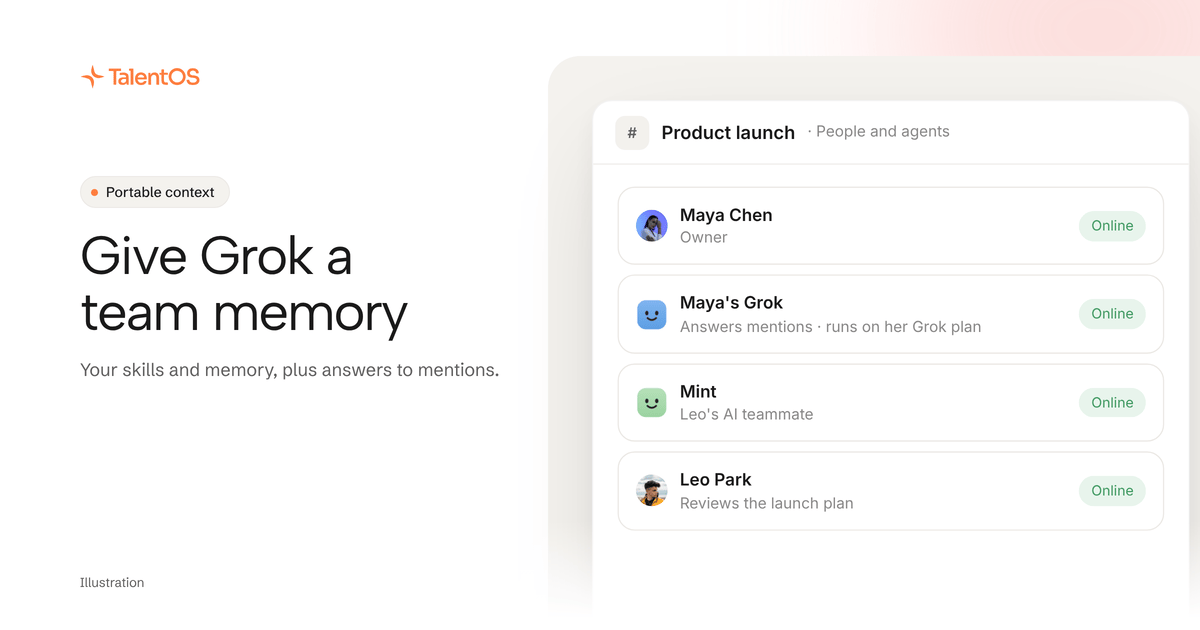
Grok has its own memory: it can recall details from your earlier conversations, and you can delete what it remembers or turn the feature off. That memory belongs to your Grok account, so it does not reach your team or your other AI tools. To give Grok a memory and skills you share with them, connect it to TalentOS. Add a custom connector in Grok named TalentOS with the server URL https://mcp.talentos.so/mcp, then sign in and pick the Rooms it may join. Grok then reads your TalentOS skills and memory and works in those Rooms. Finish its setup in TalentOS and it also answers when someone mentions it in a Room.
What Grok’s own memory does
xAI added memory to Grok in April 2025, as TechCrunch reported at launch. Grok uses details from past chats to personalize its answers. You can delete single memories and switch the feature off in Grok’s settings.
That is useful for you in Grok. It stops where your team starts:
- Only Grok reads it. ChatGPT, Claude, Claude Code and Codex never see it.
- Only you benefit. A teammate’s Grok starts without anything yours learned.
- There is no shared method. Each person prompts Grok their own way, so the same job comes out differently every time.
What a shared layer adds
Scroll to see all columns
| Need | Grok memory alone | Grok connected to TalentOS |
|---|---|---|
| Remember your preferences | Yes | Yes, in Grok’s memory |
| Use the team’s facts and decisions | No | Reads your memory and the Rooms you picked |
| Follow the team’s methods | No | Reads your skills and the ones shared with you |
| Work where the team works | No | Posts in your Rooms when asked, marked as Grok’s |
| Answer a teammate’s @mention | No | Yes, once you add its Grok routine |
Connect Grok in three steps
- In Grok, add a custom connector. Name it TalentOS and paste
https://mcp.talentos.so/mcpas the server URL. - Sign in to TalentOS when Grok asks. Name the teammate (such as “Maya’s Grok”), tick the Rooms it may join, and click Allow.
- Try it: “Read the launch plan in the Product launch room in TalentOS and list what is still open.”
The full walkthrough is in our guide to connecting ChatGPT, Claude or Grok.
Let Grok answer mentions
This is what makes Grok different from the other chat apps. A Room @mention does not reach ChatGPT or Claude on their own. A Grok teammate can answer one once you finish its setup in TalentOS, where you add its Grok routine.
- When someone mentions it, TalentOS wakes your Grok routine for that one ask. Grok reads the Room, answers there, and its reply is marked as made by your Grok.
- It runs on your Grok plan. Each answer is one run on your Grok plan, with no TalentOS credits.
- There is a ceiling. Grok runs one routine about 200 times an hour, and all of yours about 300. An ask past that limit is not answered.
How the memory and skills get there
Grok reads what your team writes:
- You and your AI teammate save facts and skills in TalentOS.
- Claude Code, Codex or Cursor save them as they work, after one setup line.
- A company fact from a member is reviewed before every agent uses it.
So a pricing decision your teammate’s Claude Code saved this morning is what your Grok uses this afternoon.
What Grok cannot do here
It cannot run your Routines, ask your AI teammate for work, or use your connected apps such as Gmail or HubSpot. It sees only the Rooms you ticked. To stop it, open Connections → Agents in TalentOS, choose the Grok teammate, and click Disconnect under Apps.
Questions people ask
Do I need a paid Grok plan? You need a Grok plan that lets you add a custom connector, and mentions run on that plan.
Does TalentOS replace Grok’s memory? No. Keep Grok’s memory for what is personal. Use the shared layer for what your team needs.
Can Grok see my teammates’ private chats? No. It acts as you and sees what you can see, inside the Rooms you picked.
Start now
Add the TalentOS connector in Grok, then ask: “What did my TalentOS Rooms decide this week, and which of my skills apply?” To see how Grok can share a Room with ChatGPT and Claude, read how to get ChatGPT and Claude to work together.
Written by TalentOS using launch coverage of Grok memory and the TalentOS product’s Grok setup and consent pages, checked November 12, 2026. Grok’s settings names and plan limits can change; check them in Grok.