How to give ChatGPT a persistent memory and skills your team shares
ChatGPT's memory remembers you, inside your ChatGPT account. To give it a memory and skills your team and your other AI tools share, connect it to a shared layer over MCP. Here is what each kind of memory does and how to set up the shared one in two minutes.
By TalentOS
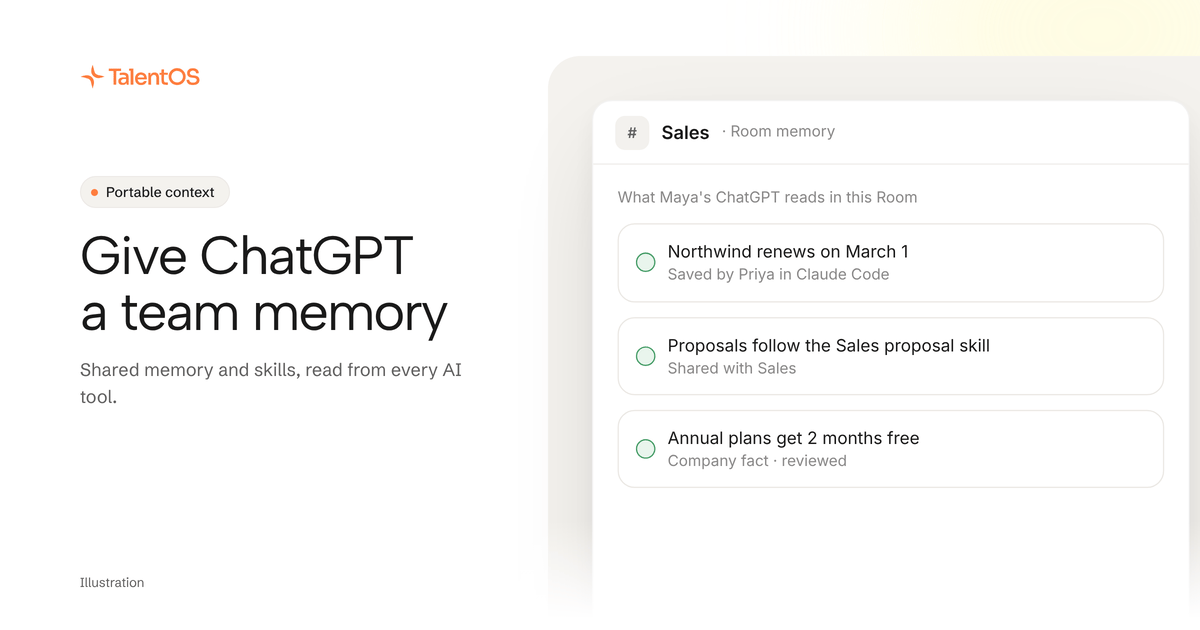
ChatGPT already has a persistent memory: it saves facts about you and can refer back to your past chats. That memory lives in your ChatGPT account, so it remembers you and nobody else. To give ChatGPT a memory and skills that your team and your other AI tools share, connect it to a shared layer over MCP. In TalentOS, add https://mcp.talentos.so/mcp as a custom connector in ChatGPT, sign in, and pick the Rooms it may join. From then on ChatGPT reads your TalentOS skills, your memory and those Rooms, the same ones Claude, Claude Code and your teammates use.
What ChatGPT’s own memory does
OpenAI describes two parts. Saved memories are facts ChatGPT keeps about you, which you can review and delete. Chat history lets it draw on earlier conversations when they are relevant. OpenAI keeps improving how it picks what to remember, as its post on how ChatGPT memory works explains. Projects can also keep their memory to their own chats.
For one person working in ChatGPT, that is often all the memory needed. It stops in three places:
- It stays in ChatGPT. Claude, Claude Code, Codex and Grok cannot read it.
- It is yours alone. A teammate’s ChatGPT does not know what yours learned about the launch date or the client’s tone.
- Nobody reviews a team fact. If one person’s chat records the wrong price, nothing stops that version from shaping answers.
The two kinds of memory a team needs
Scroll to see all columns
| Memory | Best home | Why |
|---|---|---|
| Your preferences: tone, format, what you work on | ChatGPT’s own memory | Personal, and only ChatGPT needs it |
| Team facts: prices, customers, decisions, how we do things | A shared memory layer | Every person and every AI tool needs the same version |
| Methods: how we write a proposal, review a contract | Shared skills | Written once, followed by every agent |
Keep using ChatGPT’s memory for the first row. The shared layer is for the other two.
Give ChatGPT a shared memory and skills in four steps
- Copy the address:
https://mcp.talentos.so/mcp. - Add TalentOS as a custom connector in ChatGPT’s settings for apps and connectors. On a work plan, your workspace admin may need to allow it first.
- Sign in to TalentOS when ChatGPT asks, keep or change the teammate name (such as “Maya’s ChatGPT”), tick the Rooms it may join, and click Allow.
- Ask it something only your team knows, such as “Using my TalentOS skills, draft the renewal email for Northwind.”
Each step, and what the sign-in page shows, is in our guide to connecting ChatGPT, Claude or Grok.
What ChatGPT can use once connected
- Your skills. It reads your private skills and the ones your team shared with you, so it follows the same method your teammates’ agents follow.
- Your memory. It reads the memory TalentOS keeps for you, so a fact saved from Claude Code last week is there in ChatGPT today.
- The Rooms you picked. Messages, threads, files and comments. It posts there when you ask, and every post is marked as made by your ChatGPT.
It cannot run your Routines, ask your AI teammate for work, or use your connected apps. It sees nothing outside the Rooms you ticked.
How the shared memory gets written
In TalentOS, memory and skills are written where the work happens:
- You or your AI teammate save a fact or a skill in TalentOS.
- Claude Code, Codex or Cursor, connected with one setup line, save skills and facts as they work.
- A company fact from a member waits for review before everyone’s agents use it, so one wrong price does not spread.
ChatGPT then reads the current version the next time you ask. That is the point of a shared layer: whichever tool learned it, every tool can use it.
An example
Illustrative. Priya writes the team’s proposal method as a skill in Claude Code and shares it with the Sales Room. Leo, who never opens a terminal, asks ChatGPT for a proposal for Northwind. ChatGPT reads the shared skill and the Room’s notes on Northwind’s budget, drafts the proposal in the Room, and Priya reviews it there. When Priya improves the skill next week, Leo’s ChatGPT follows the new version without anyone copying a file.
Questions people ask
Does this replace ChatGPT’s memory? No. Keep ChatGPT’s memory for what is personal to you. Put what your team and your other tools need in the shared layer.
Will my teammates see my memory? No. Your own memory stays yours. Company facts are shared with everyone, after review.
Which ChatGPT plans can do this? Any plan that lets you add a custom connector. Whether ChatGPT can also post in TalentOS depends on your ChatGPT plan and its settings.
Can I disconnect it? Yes. In TalentOS, open Connections → Agents, choose the ChatGPT teammate, and click Disconnect under Apps. It stops at once.
Start now
Add https://mcp.talentos.so/mcp to ChatGPT, then ask it: “Catch me up on my TalentOS Rooms and list the skills I can use.” To compare other ways to give a team’s AI a memory, read the best AI memory tools for teams.
Written by TalentOS using OpenAI’s own description of ChatGPT memory, checked November 12, 2026, and the TalentOS product’s consent page and connection settings. ChatGPT’s settings names and plan limits can change; check them in ChatGPT.