Watch your AI teammate browse, and let it finish the job
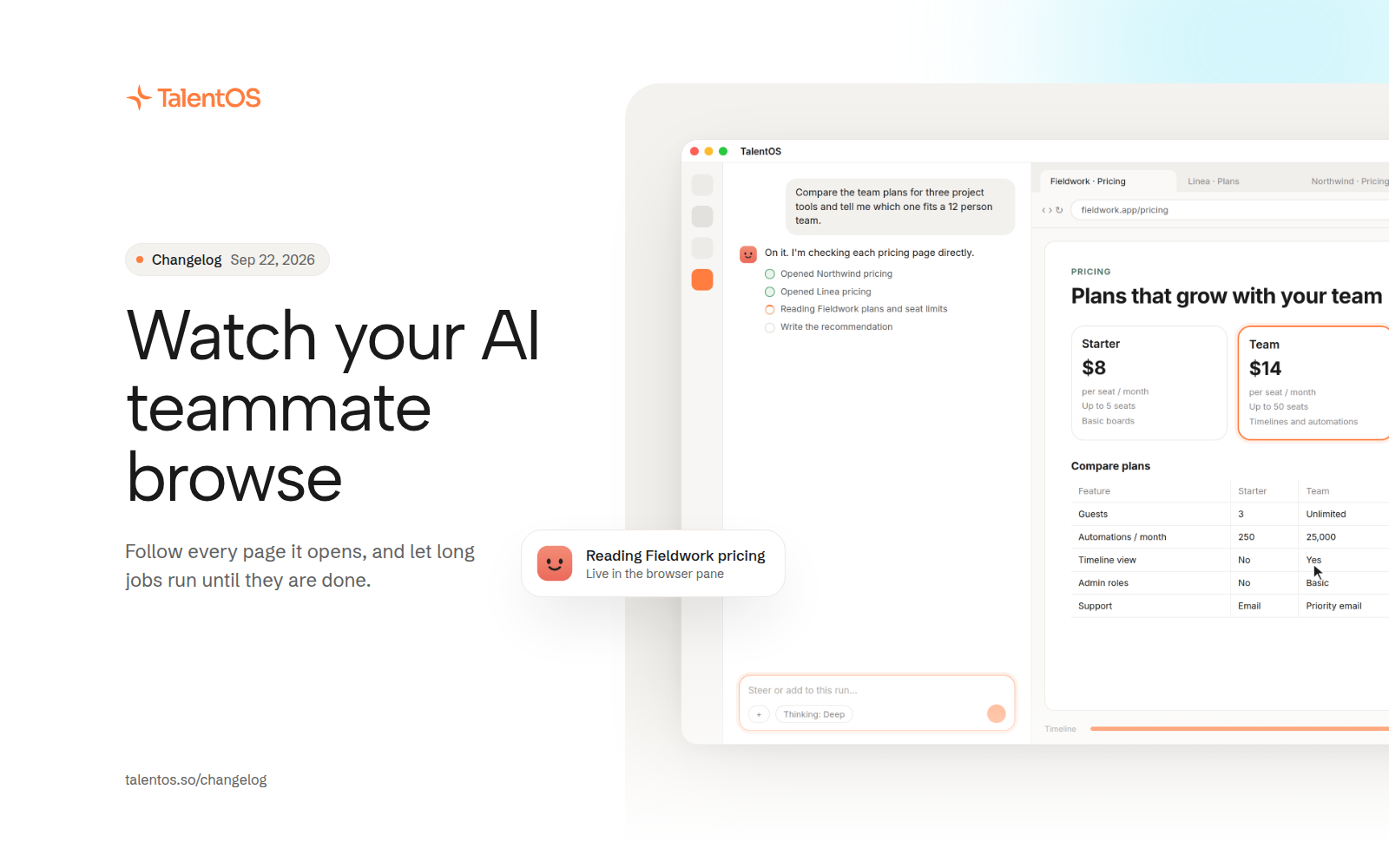
A live browser pane shows every page your AI teammate visits, long jobs no longer hit a time wall, and you can choose how hard it thinks.
When your AI teammate goes to the web, you can now follow along. A browser pane opens beside the chat with the page it is on, the cursor it is moving, and a timeline you can scrub back through once the run is done.
Improvements
- The browser pane is resizable, shows real tabs and an address bar, and keeps a timeline of the pages your AI teammate visited.
- Opening an empty browser tab lets you type a task and start a run from there.
- Long jobs keep going as long as they are making progress. The old 30 and 60 minute limits are gone, replaced by a 4 hour ceiling on idle waiting.
- A run that stalls picks up from its last checkpoint instead of starting over, and sends you a partial report if it still cannot finish.
- Choose a thinking mode for your AI teammate, from quick answers to deeper reasoning on harder work.
- Google Maps results show up as an interactive map with rated pins and a strip of places.
- Google Tasks is now a full connector: read your lists, then create, update, move, and complete tasks.
- Routines accept a typed schedule, so “every weekday at 9” lands exactly where you meant it.
- New conversations start faster, because a warm computer is ready before you ask.
Fixes
- Delivered results lead with the decision or the answer, not a recap of what was done.
- Your AI teammate acts by default and asks at most one question per turn when it truly needs you.