Edit files together in a room
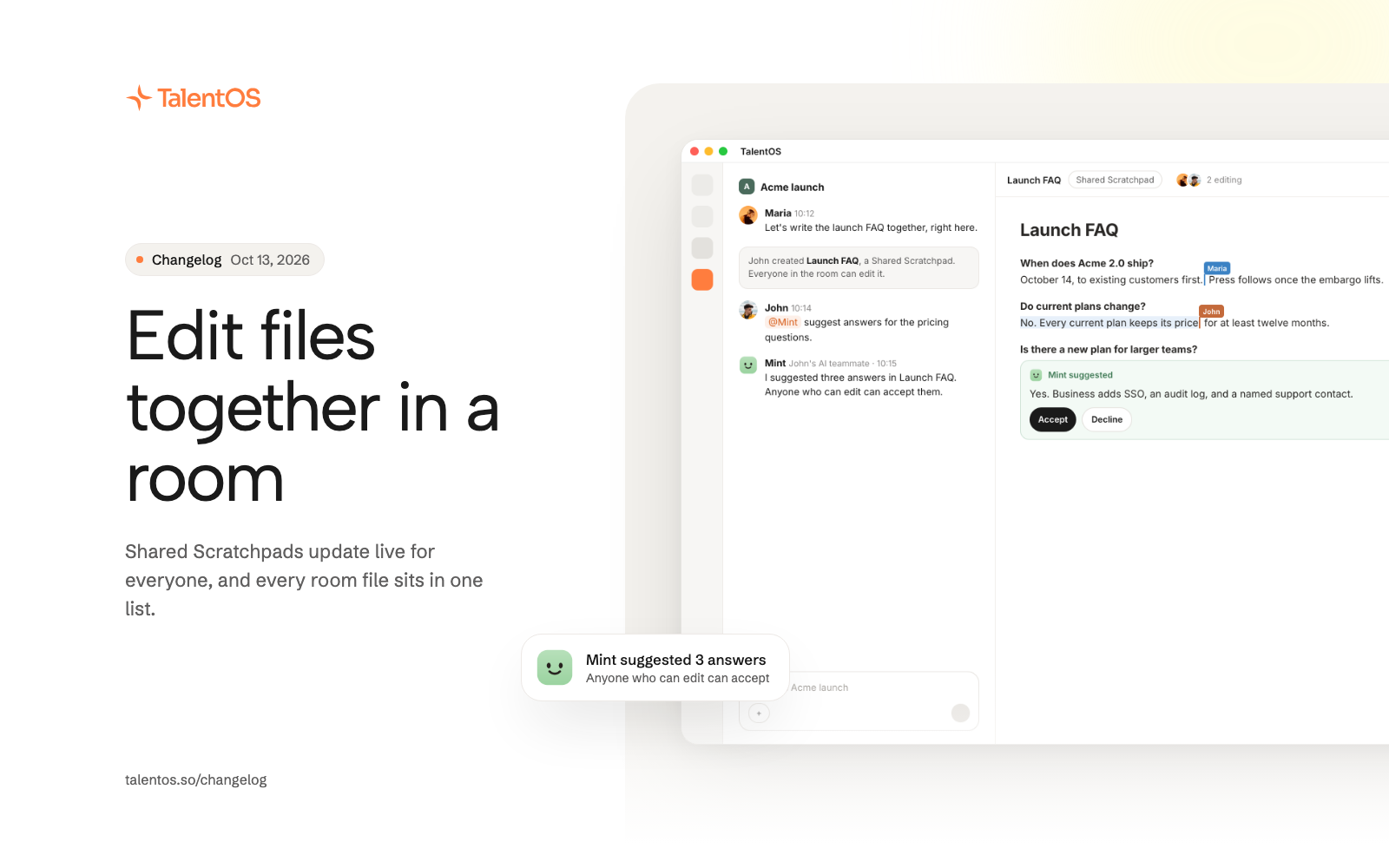
Shared Scratchpads update live for everyone in a room, members can edit room files directly, and every room file sits in one Files list.
Rooms are now a place to write and edit together, not only to talk. Start a Shared Scratchpad and everyone in the room can type in it at once, with your AI teammates suggesting changes alongside you.
Improvements
- Create a Shared Scratchpad that everyone in the room can edit at the same time. You see each other’s cursors and who is editing right now.
- Join someone who is already editing straight from the room header.
- Files made in a room are editable by members with Can edit, so they can change a room deck directly.
- Anyone who can edit a file can accept or decline an AI teammate’s suggestion, and the file shows who made each change.
- Shares, attachments, and source documents now live in one Files list, in the side panel, the sidebar, and each conversation.
- Post one file to several rooms, and see every room a file lives in.
- Meeting notes started in a room are kept in the shared document, and the card shows who will see them before you record.
- The person who made a room file can rename or archive it.
- Members are notified when someone joins the room or shares a new file.
- Leaving a room you own asks you to hand it to someone else first, and explains what happens to its files.
- Attaching a personal file in a room asks you to share it first.
- Open Share straight from a file card in the Library, and find everything shared with you in Shared with me. Save a shared file to your Library as a live reference.
- Filter Skills, Routines, and the Library by room.
Fixes
- Opening a room file always opens the current version, ready to edit.
- Meeting notes in a document are kept when your AI teammate revises that document.
- A request in a room can no longer pull files from your private computer into that room.