What is an AI teammate, and why does one per person stop working?
An AI teammate works on a team's real work in the open, with an owner. One AI per person stops working the moment a second person needs to see, review or continue the work.
By TalentOS
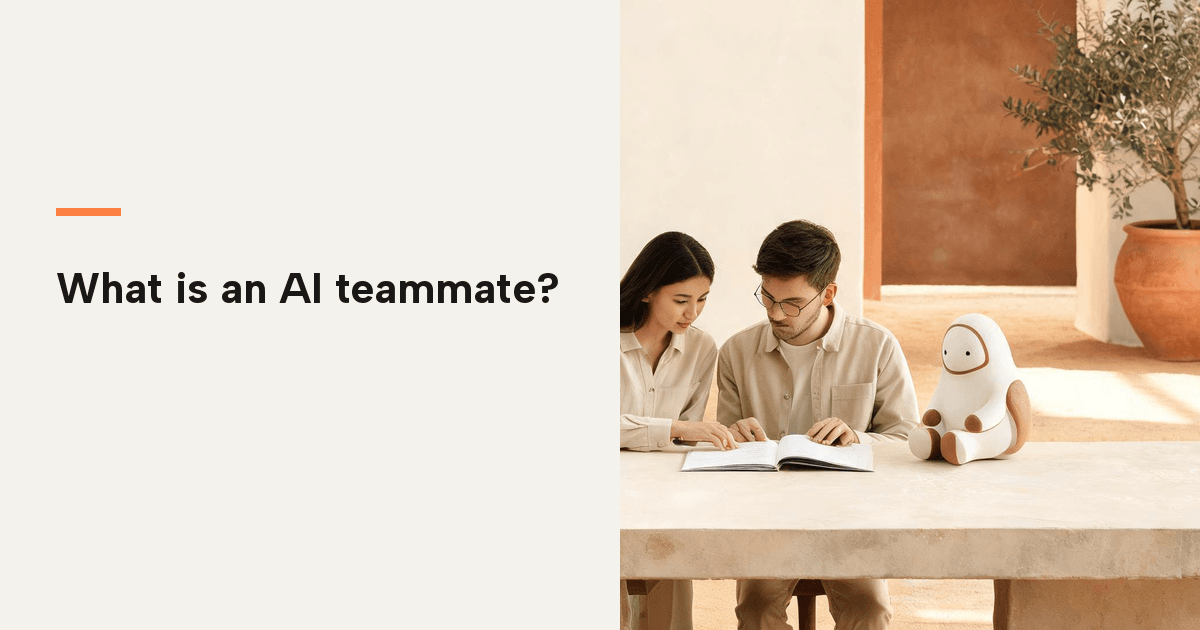
An AI teammate is an AI that works on your team’s real work, in the open, with a name behind it. It belongs to one person, so every action it takes has an owner. It works in a shared space, so the team can see the work, argue with it, and pick it up. It keeps the project’s context between sessions, so nobody re-explains the job every Monday. And it leaves a record, so what it did can be checked afterwards.
One AI per person is where nearly every team starts, and for a while it is the right answer. It stops working at one moment: when the work stops being yours alone. The model did not get worse. A second person arrived, and everything the first person taught it sits behind a login.
A chat window is good, and it is not a teammate
Start with what a single chat window does well, because the case for it is real. It opens instantly. It asks nothing of you: no members, no permissions, no project to set up. For one person on one task it beats a shared space, because a shared space has ceremony and a chat window does not.
I would not tell a solo consultant to move their thinking into a room. Keep it in the window and get on with the work.
The trouble is that the work worth doing is rarely one person’s for long. The moment a colleague needs to see it, review it, or carry it on, the tool that was frictionless for one becomes a bottleneck for two.
A teammate is not an assistant, and it is not an agent either
Two words get used for the same thing, and neither one is this.
An assistant answers. You ask, it replies, and the reply belongs to the window it arrived in. That is useful, and it is why everybody has one. It is also why the second person on the job starts from nothing: there was never a place for the answer to live.
An agent runs a task. It takes a job, uses tools, and comes back with a result. The coding agent in your terminal is one. The one in another tab is a second. They are good at the work, and they have the same problem: the work belongs to whoever ran it, on whichever machine it ran on.
A teammate is the part that makes either of those usable by a team. It has an owner, so the work has a name on it. It has a place, so the work has somewhere to land. It keeps the context between sessions, so the job does not restart every Monday. And it is set up so a colleague can pick the work up without asking you what you meant.
The word matters because the buying decision follows it. An assistant is a subscription one person buys. An agent is a tool one engineer adopts. A teammate changes how a team works, which is a bigger decision and a different conversation.
The first wall: the context belongs to one person
A personal assistant learns you. Your shorthand, your clients, the way you like a summary, the decision you already made and do not want re-opened. That is a feature, and it is also a wall, because none of it transfers.
The second person starts from zero and re-explains the project in a fresh chat. The team now has two private versions of the same job and no way to tell which one is current. When someone leaves, their version leaves with them, and nobody can say what the team actually knew.
The second wall: the work travels by hand
Ask why an answer had to be pasted into Slack before a colleague could see it. Ask why the plan lives in a document that was exported out of a chat window.
Every one of those hops costs something. The output survives the trip and the thinking does not: the brief, the constraints, the option you rejected and why. A week later the file is there and the reasoning is gone, so the review is guesswork dressed as a decision.
The work is not the writing. It is the moving.
The third wall: nothing can be picked up, reviewed, or stopped
Three things a team does with work. Continue it, check it, and stop it.
Continue: if the person is away, the work waits for them. Check: there is no shared place to review, so review means reading a finished thing and hoping it answered the brief. Stop: a private assistant has no ceiling the team agreed to. Nobody can see what it is about to do, or what it already did last week.
That last one is the one people feel first. An assistant with no visible limits is not a teammate. It is a risk with good manners.
The cost arrives with the third person
With one person, none of this shows up. One context, no handoffs, and a private assistant is exactly the right tool.
Two people is where the arithmetic starts. Two private contexts, and any piece of work that concerns both of them has to cross by hand. Three people, three private contexts, and six directions for a piece of work to travel. None of it is anyone’s fault. The tool has no place to put shared work, so the sharing happens in the only channel left, which is people.
That is the sentence worth keeping. The cost of one AI per person is not the subscription. It is the handoffs, and the handoffs grow faster than the team does.
What changes when the teammate works where the work is
The brief sits next to the work. A colleague opens the same thing and carries it on, with the context attached. The agents people already run join the same space instead of sitting in separate terminals. Review happens on the work itself, not on an export of it. Permissions are set once, per person, and every job leaves a record of what happened.
That is the whole idea behind TalentOS. One Room per project, each person with their own AI teammate, the agents they already use in the same thread, and the sensitive actions set to ask before they happen. None of it requires moving your thinking into a company-wide account.
If you want the practical version, four guides cover the mechanics: adopting it with one shared workflow, sharing project context, shared memory, and permissions for agents.
The test, in one question
Take the last thing you copied out of an AI and pasted into a chat with a human. Ask why it had to travel by hand.
If the honest answer is that the context lives in one person’s account, the tool is not the problem. The account is.
Two things follow, and neither one is a purchase. Give every AI an owner, so every action has a name on it. Give every project one shared space with explicit members, so the work has somewhere to land. The rest is detail.
Questions people ask about AI teammates
Do I have to give up ChatGPT or Claude?
No. Most people keep the chat window for their own thinking and bring their agents into the shared space for the work that involves other people. The Room is where the team’s version lives, not a replacement for every private conversation you have.
Does every person need their own?
Yes, and that is the point rather than a limitation. Ownership is what makes an action attributable and a memory worth trusting. Pooling one login for a team gives you a single voice that nobody can stand behind.
What can it do without me?
It depends on the settings you choose. Reading is open, and writing can be set to ask first. Every job leaves a record of what it did, so the question of what happened while you were out has an answer.
Can my manager read my chats?
Private chats and personal memory stay owner-only. Conversations and files shared in a Room are visible to its members. Admin status alone does not open private content.
Do we have to leave Slack?
No. Your teammate still answers in Slack and iMessage. A Room is where people and AI build the thing together, and the result can post back to Slack when it is done.
How is this different from multiplayer AI?
Multiplayer AI is the general idea: people and their agents working in the same session with shared context. An AI teammate is the part that makes it hold together, because every participant has an owner. The definition is on the multiplayer AI page, and the permissions side is in setting permissions for AI agents.